A page that isn't indexed doesn't exist as far as Google is concerned. It can be well written, well designed, linked from your homepage, and it still won't show up in a single search result if Google hasn't crawled it, processed it, and decided it's worth keeping in the index. This is one of the more frustrating problems in SEO because the symptoms look identical no matter the cause.
The fix starts in Google Search Console, specifically the Page Indexing report and the URL Inspection tool. Both will usually tell you which of the following is actually happening. Below are the seven causes we see most often, roughly in order of how frequently they show up.
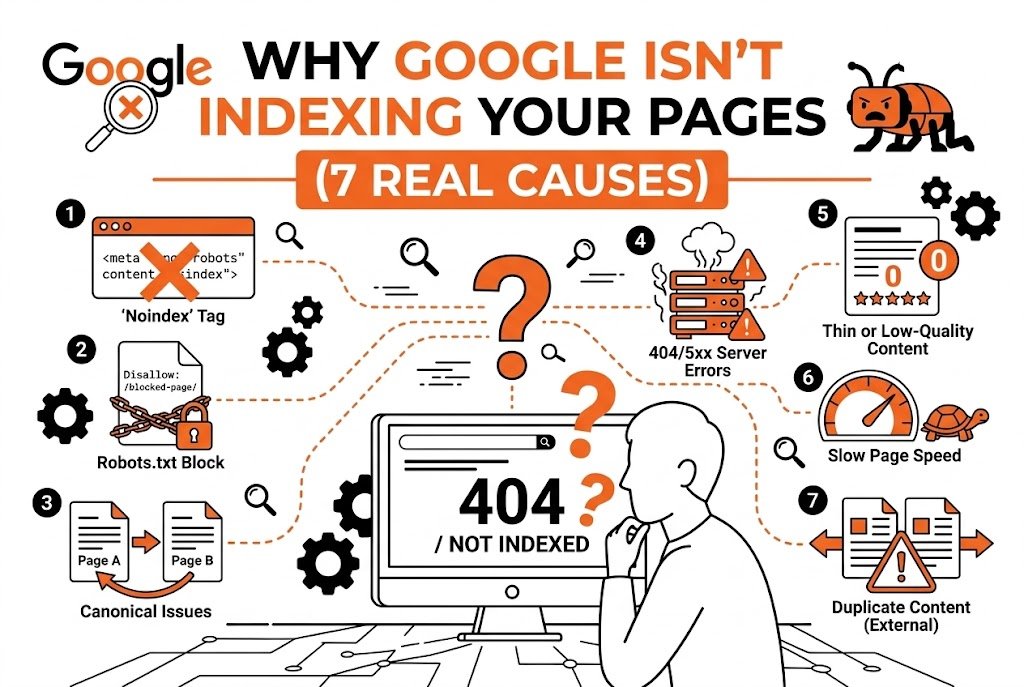
1. A Noindex Tag That Shouldn't Be There
This is the most common cause, and also the easiest to miss because it's often not intentional. A noindex meta tag or X-Robots-Tag header tells Google directly not to include a page in search results, and Google respects it reliably.
A developer sets noindex on a staging environment during a redesign, then forgets to remove it when the site goes live. A WordPress SEO plugin has a default setting that accidentally applies noindex to a whole category of pages. A CMS template inherits a setting from a parent page without anyone noticing. In each case, the site owner assumes the page is fine because it looks normal in a browser, but the tag lives in the page's head section or in an HTTP response header.
Run the URL through the URL Inspection tool in Search Console and it will tell you directly if a noindex directive is blocking indexing. If it shouldn't be there, remove it at the source and request indexing again.
2. Robots.txt Is Blocking the Page From Being Crawled
Noindex and robots.txt do different jobs, and mixing them up causes real problems. A noindex tag tells Google not to index a page it has already crawled. Robots.txt tells Google not to crawl the page at all. If robots.txt is blocking a section of the site, Google can't even reach the page to see whether it should be indexed.
This becomes a real issue during site migrations and redesigns. A staging site is often set up with a robots.txt file that disallows all crawling, which makes sense while the site is being built. The problem is when that same robots.txt gets carried over to production by accident.
Checking this is simple: visit yourdomain.com/robots.txt and read through the disallow rules. If something important is blocked that shouldn't be, fixing the file and requesting a recrawl usually resolves it within a few days to a couple of weeks.
3. Thin or Low-Value Content
Google doesn't index every page it crawls. If a page offers very little unique content — a few sentences, a mostly empty template, content nearly identical to another page on the same site — Google may crawl it, evaluate it, and decide it's not worth including in the index. This shows up in Search Console as “Crawled, currently not indexed,” which is different from a blocking issue. Google saw the page. It chose not to keep it.
This is common on ecommerce sites with thousands of near-duplicate product variants, on local business sites with dozens of near-identical city pages, and on blogs that publish short, low-substance posts purely to hit a content calendar. The pattern across all three is the same: the page doesn't give Google, or a real visitor, a strong enough reason to treat it as distinct and valuable.
The fix depends on the page. Sometimes it means expanding thin content with real information. Sometimes it means consolidating five near-duplicate pages into one stronger page and redirecting the others. Sometimes the honest answer is that the page never needed to exist as a standalone URL in the first place.
4. Canonical Tags Pointing Somewhere Else
A canonical tag tells Google which version of a page is the “real” one when duplicate or near-duplicate content exists. It becomes a problem when a page has a canonical tag pointing to a different URL, and Google follows that signal, choosing to index the canonical target instead of the page itself.
This often happens through templating mistakes rather than intentional decisions. A CMS might apply a default canonical that points every paginated page back to page one, or every product variant back to a single parent product. In Search Console this shows up as “Alternate page with proper canonical tag” or “Google chose different canonical than user.”
If a page really is a duplicate, the canonical is doing its job and no fix is needed. If it's meant to stand on its own, the canonical needs to be corrected to point to itself.
5. Server Errors and Inconsistent Availability
If Googlebot tries to crawl a page and repeatedly gets a server error, a 500 or 503 response, or the request times out, it will eventually stop trying as often and may drop the page from consideration entirely. This is more common on sites with unreliable hosting, sites that get overwhelmed during traffic spikes, or sites where a plugin conflict causes intermittent failures.
This one is deceptive because a site owner checking the page manually will often see it load fine, since they're checking at a different moment than when Googlebot happened to hit the error. Search Console's crawl stats report shows server error patterns over time, which is more reliable than refreshing the page a few times.
The fix here is technical: work with whoever manages hosting to identify what's causing the errors and resolve the underlying issue rather than just the symptom.
6. Orphan Pages With No Internal Links
Google finds most pages through links, either from other sites or from internal links within the same site. A page with no internal links pointing to it — an orphan page — is much harder for Google to discover and prioritize, even if it's technically crawlable. This happens more often than people expect, particularly on larger sites where a navigation redesign quietly removes every internal link that used to point to an old page.
An orphan page might still get indexed eventually if it's in the XML sitemap, but sitemap inclusion is often a weaker signal than a real internal link from a page Google already crawls regularly. Pages with no links at all and no sitemap presence can sit uncrawled indefinitely.
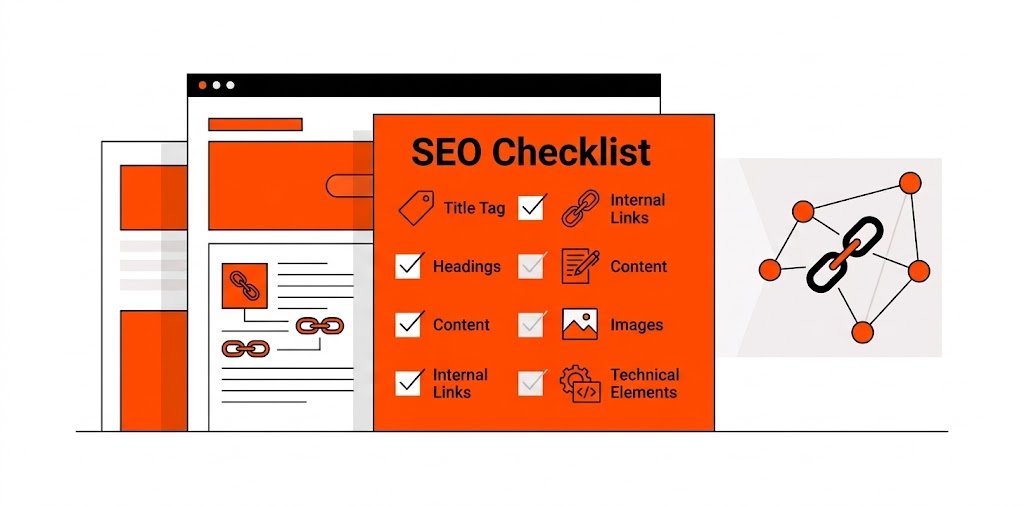
The fix is adding relevant internal links from pages that are already indexed and crawled regularly — links that make sense contextually. This also improves how Google understands the relationships between pages, not just discoverability. For a practical framework on this, on-page SEO is where that work lives.
7. Crawl Budget Spent Elsewhere on Large Sites
This cause matters mainly for larger sites — ecommerce catalogs, large publishers, or sites with tens of thousands of URLs. Google allocates a certain amount of crawling attention to each site, and if a large portion of that budget gets spent crawling low-value URLs — parameter-based duplicate pages, faceted navigation combinations, expired listings still live — there's less budget left to reach and re-crawl newer or more important pages. We've covered this in detail in Crawl Budget Explained: When It Actually Matters.
Addressing this usually involves blocking low-value parameter URLs in robots.txt, using canonical tags to consolidate duplicate variants, cleaning up expired pages, and making sure the XML sitemap reflects only the URLs actually worth crawling.
Working Through It in the Right Order
When a page isn't indexing, the instinct is often to assume it's a content quality problem and start rewriting. Sometimes that's correct. Just as often, the real cause is a technical block — a noindex tag, a robots.txt rule, a canonical pointing elsewhere — that no amount of rewriting will fix, because Google never gets far enough to evaluate the content in the first place.
The more reliable approach is to check Search Console first. The Page Indexing report will usually classify the issue into one of a handful of categories, and the URL Inspection tool will show exactly what Google saw the last time it crawled the page. Diagnosing before rewriting saves a lot of wasted effort.
Indexing issues also aren't always permanent once fixed. After correcting a noindex tag or a robots.txt block, it can still take days to a few weeks for Google to recrawl and re-evaluate the page. Requesting indexing through Search Console can speed this up slightly, but repeatedly requesting indexing on the same URL without changing anything usually doesn't help.
For a small site with a handful of unindexed pages, working through each cause individually is manageable. For a larger site where indexing issues affect hundreds or thousands of URLs at once, the underlying cause is often systemic, and it's worth treating it that way rather than fixing pages one at a time.
FAQ
How long does it take for Google to index a page after I fix the issue?
It varies, but a few days to a couple of weeks is typical for a page Google already crawls somewhat regularly. Sites that get crawled less often, usually smaller or newer sites, can take longer. Requesting indexing through Search Console can nudge things along, but it doesn't guarantee a specific timeline.
Does submitting a sitemap guarantee indexing?
No. A sitemap tells Google a page exists and gives it a path to find it, but it doesn't override the reasons a page might be excluded — a noindex tag, thin content, a canonical pointing elsewhere. A page can be in the sitemap and still sit unindexed if one of those issues is present.
Can too many low-quality pages hurt the indexing of my good pages?
It can, particularly on larger sites. If the crawl budget gets spent on low-value or duplicate URLs, there's less attention left for pages that actually matter. On a smaller site this is less likely to be the main issue, but it's still worth cleaning up thin or duplicate pages regardless of size.
Is “Crawled, currently not indexed” the same as being blocked?
No, and the distinction matters. Being blocked means Google couldn't crawl the page at all, due to robots.txt or a similar restriction. “Crawled, currently not indexed” means Google did crawl the page but chose not to include it in the index, usually because of thin content, duplication, or quality concerns.
Should I request indexing every time a page doesn't show up?
Requesting indexing once after fixing the actual cause is reasonable. Repeatedly requesting it on the same URL without changing anything rarely helps and can sometimes just add the URL back into a queue without addressing why Google decided not to index it the first time.
Most indexing problems are diagnose-before-rewrite situations. Check Search Console first, fix the actual cause, and give Google time to recrawl before assuming the content is the problem.
If you'd rather have the diagnosis handled for you, technical SEO audits includes crawl, indexing, and indexation health checks on your actual URLs — classified by cause and prioritized by impact, not listed as a spreadsheet you have to sort through yourself.
Related Guides
More from the same part of the roadmap — same category first, newest first.